
New in Tenet: faster QuickBooks reads, clearer issues and dark mode
What changed in Tenet in November 2026: QuickBooks bills read within a minute, an approval email you can send at once, issues set out as figures, a better document view, dark mode and a help centre.
QuickBooks bills now reach Tenet within a minute of being saved, approvers can be emailed at once, and each issue shows the figures behind it.
- A bill saved in QuickBooks is usually read within a minute. The hourly read still runs as a backstop.
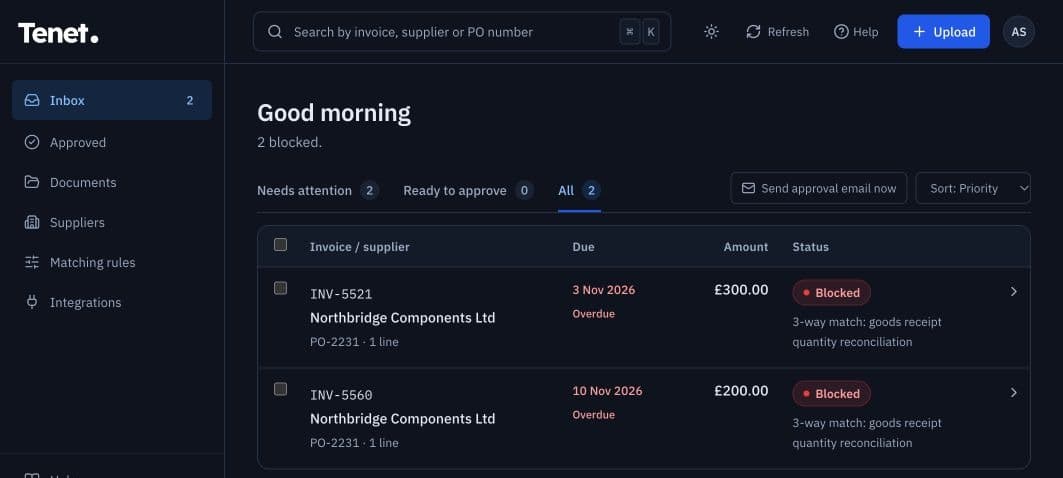
- Send approval email now, in the Inbox, emails approvers at once with everything waiting for them.
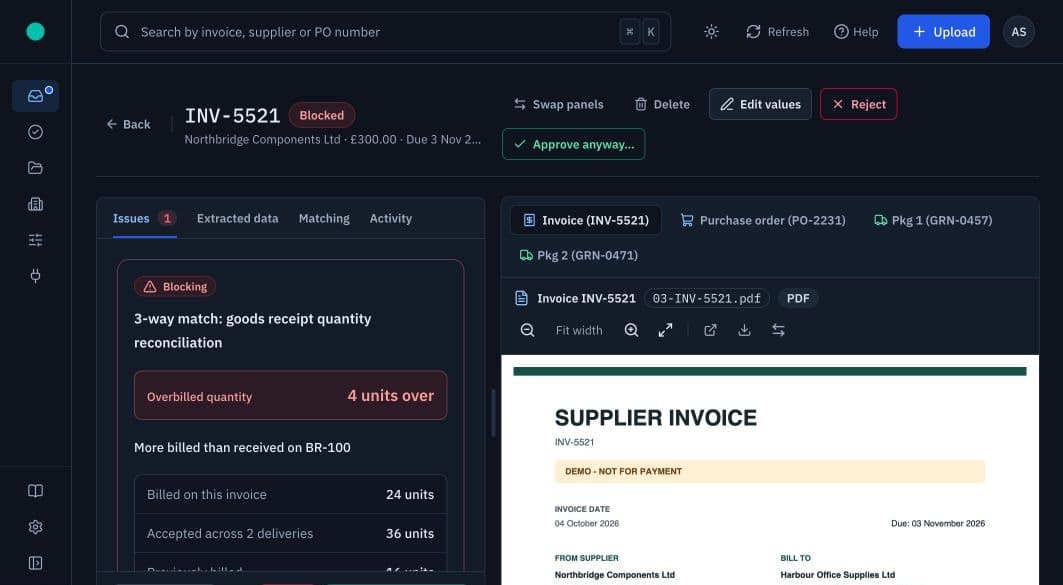
- A quantity issue now lists what was billed, received and already billed, and how many units are over.
- The document opens fitted to its panel, with zoom, a fit-page button and a divider you can drag.
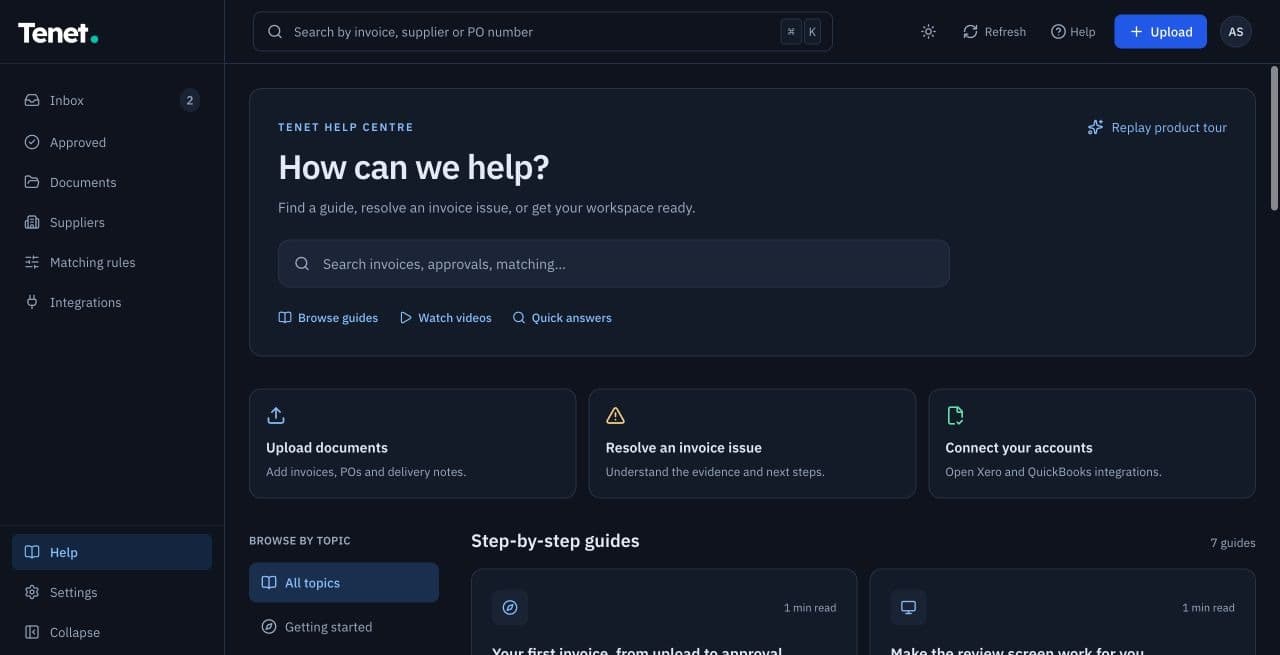
- Dark mode and a searchable help centre with guides and short videos are in the app.
- Also new: sharper duplicate checks, agreed prices, recording a receipt, auto-approval under a policy, and Insights.
In this guide
This is a round-up of what changed in Tenet in the first half of November 2026. Most of it follows from one release: approving QuickBooks Online bills by email. Once approvers were deciding from an email link, the wait before that email and the wording of each issue mattered more.
Bills saved in QuickBooks are now usually read within a minute, and an admin or approver can send the approval email at once from the Inbox. Quantity issues show the figures behind them, the document view fits and resizes, and the app has dark mode and a help centre. Nothing needs switching on except dark mode.
QuickBooks bills are read within a minute
Until now Tenet read QuickBooks once an hour. QuickBooks now tells Tenet when a bill, a purchase order or a supplier changes, and Tenet reads the company a few seconds later. If the PDF is attached after the bill is saved, a second read a few minutes on picks it up. The hourly read still runs, so a missed notification costs an hour at most.
Read bills now also reads purchase orders first. Before, a bill copied from an order raised minutes earlier could be flagged as having no purchase order until the next hourly read.
Send the approval email at once
The approval email goes out hourly and includes each invoice at most once a day. That suits a steady flow of bills, and it is too slow when a supplier is waiting. Admins and approvers now have a Send approval email now button in the Inbox. It emails every approver with what is waiting for them, without the hour's wait or the once-a-day limit. Anything emailed in the last five minutes is left out.
Issues set out as figures
When an invoice bills more than was received, the issue used to be one long sentence. It now leads with the result, such as 4 units over, and lists the figures behind it: billed on this invoice, accepted by the warehouse, previously billed and available to bill, with the goods receipts it counted. The figures are the ones the check already produced; nothing is estimated. Other kinds of issue keep their exact wording, with the summary pulled out as a heading when the sentence is long.
A document view that fits
- Fitted on opening. The PDF opens fitted to the width of its panel. Zoom runs from 50% to 180%, and one button switches to the whole page.
- A divider you can move. On a desktop, drag the divider between the checks and the document, or focus it and use the arrow keys. Double-click resets it, and Swap panels changes sides.
- The original is still there. Open it in a new tab or download it from the same toolbar.
Dark mode
The sun or moon button in the top bar switches between light and dark. Settings, under Appearance, also offers Use device setting. The choice is saved on that device, and PDF pages keep their original colours.
A help centre in the app
Help now opens a searchable page with step-by-step guides, quick answers and short videos, including one on approving QuickBooks bills by email.
Five larger changes
These went live on 15 November. Each is on every plan.
- Sharper duplicate checks. Tenet now also warns on a variant of an invoice number with the same supplier and amount (INV-1001 and INV-1001-A), the same supplier and amount within 10 days under a new number unless that supplier bills the amount on a regular cycle, and the same invoice under a second supplier record. Bills already in QuickBooks from the last 12 months are compared too, as bills in Xero already were.
- Agreed prices and price rises. Save a supplier's contract prices and every invoice line is compared with them. Price rises are measured against the earliest price in the period as well as the average. See supplier intelligence in Tenet.
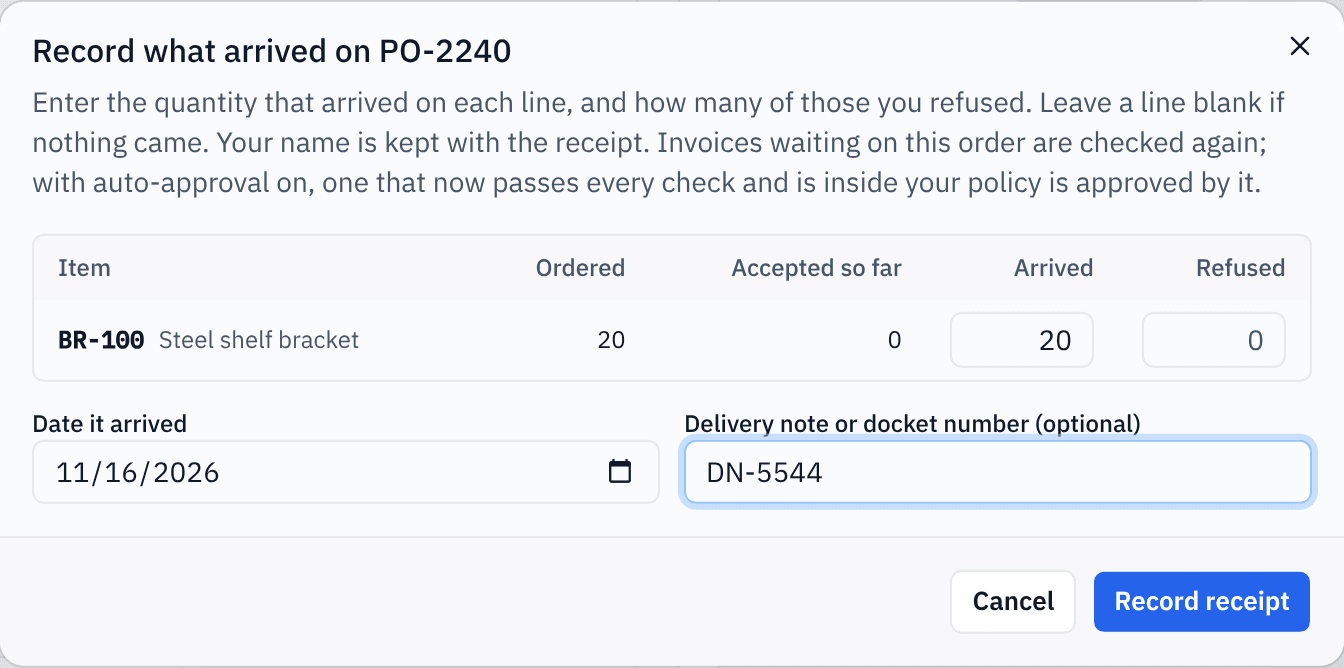
- Record what arrived. With no goods receipt documents, 3-way matching used to stall. An invoice held because nothing has been received on its order now has a Record what arrived button. Enter the quantity that came on each line and how many you refused; Tenet saves it as the goods receipt with your name and checks the invoice again.
- Auto-approval under a policy. Off until an admin sets a limit. Routine invoices that pass every check can then be approved without a person. See how auto-approval works.
- Insights and on-watch suppliers. A new Insights page counts what the checks found and the money at stake, and a supplier with repeated findings is put on watch.
Three more checks are on by default and can be switched off on the Matching rules page: invoices from a supplier marked inactive are held; two or three invoices from one supplier within 3 days that are each under your second-approver limit but reach it together are flagged; and an invoice with no purchase order that is more than 3 times the supplier's usual amount is flagged. Checks that don't apply to an invoice now show as Not needed instead of as warnings.
Conclusion
If you approve bills from QuickBooks, the practical change is speed. A bill keyed and attached now can be in front of its approver in minutes when someone presses Send approval email now, where it used to take two or three hours. To set that up, see approving QuickBooks Online bills by email. For how each change is used day to day, see reviewing a supplier invoice in Tenet, step by step.
Common questions
Will more invoices be held now?
Yes, some. The new checks for re-sent copies, agreed prices, inactive suppliers, split invoices and unusually large invoices are on by default. Each can be switched off on the Matching rules page, except re-sent-copy detection, which is part of the duplicate check.
Do I need to change anything to get the faster QuickBooks reads?
No. If Bills entered in QuickBooks is on, bills, purchase orders and supplier changes are picked up when QuickBooks reports them. The hourly read and the Read bills now button work as before.
Who can send the approval email at once?
Admins and approvers, from the Inbox. Requests emailed in the last five minutes are left out, so pressing the button twice doesn’t email anyone twice.
Does dark mode change how invoices look?
No. The app’s own screens change colour; PDF pages keep their original colours. The choice is saved on the device you make it on.
Tenet checks every invoice, matches it to POs and goods receipts, and holds exceptions for your team.